Nervous / VISUAL EXPLAINER
Why Does a Resting Nerve Cell Still Need an Ion Pump?
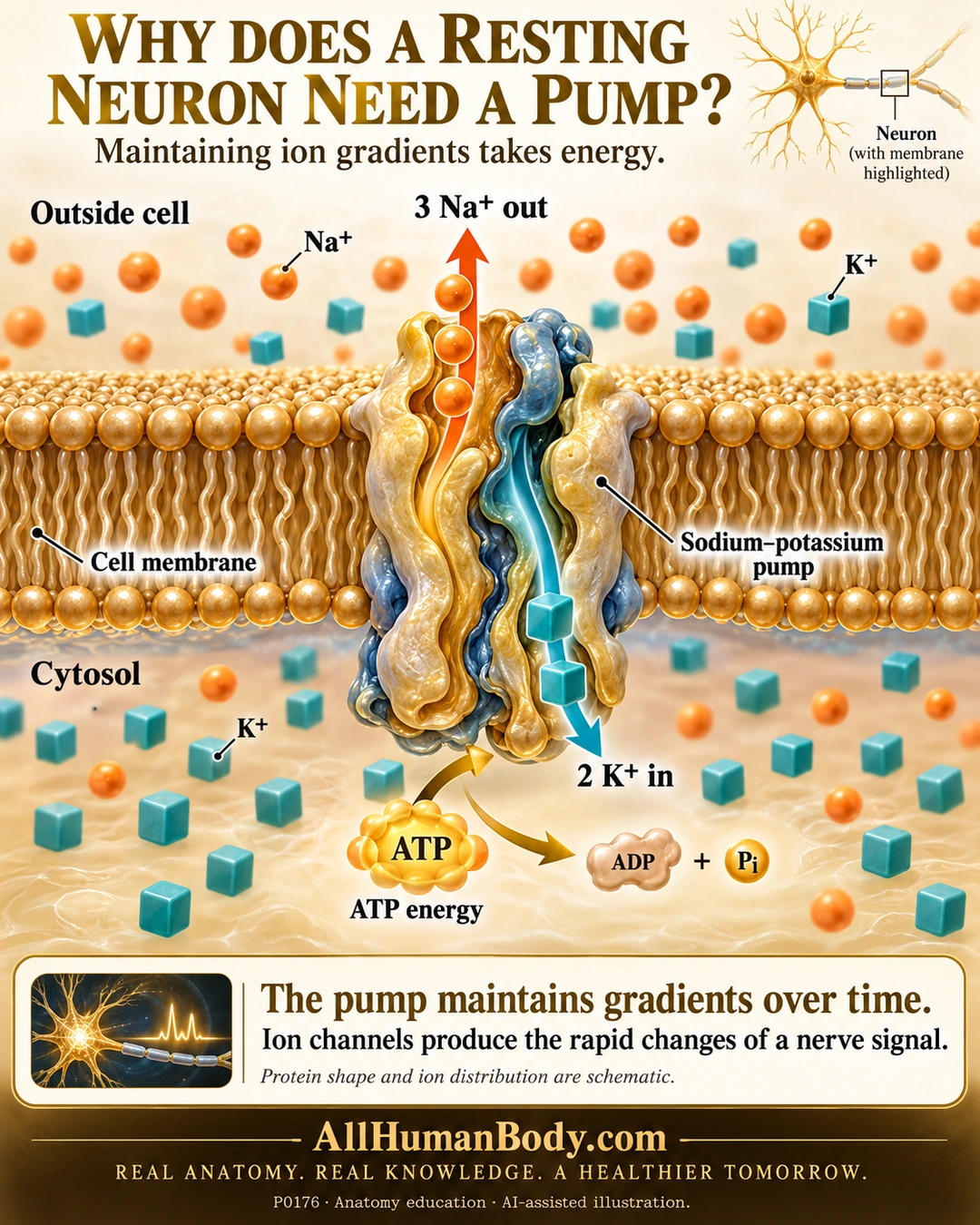
The sodium–potassium pump uses ATP to move three sodium ions out and two potassium ions in per cycle. This supports ion gradients over time, while channels produce the rapid permeability changes of nerve signaling. Resting membrane function still requires energy.
READ THE IMAGE
What the illustration shows
Ivory-and-gold teaching poster asks why a resting neuron needs a pump. A large gold membrane bilayer separates outside fluid above from cytosol below. A sculptural pump spans it: an upward orange arrow has three sodium spheres and is labeled 3 Na+ out; a downward teal arrow has two potassium cubes and is labeled 2 K+ in. ATP becomes ADP and Pi on the cytosolic side. Both ion types appear on both sides. Text distinguishes long-term gradient maintenance from rapid channel-driven nerve signals. Gold AllHumanBody.com and complete slogan appear below. Protein geometry and distributions are schematic, not atom-level structure.
How to interpret this poster
- Protein shape and opposed arrows summarize a cycle, not atom-level structure, two simultaneously open pores or synchronized post-spike resetting.
- Both ions exist on both sides; background symbols are qualitative, not concentrations or complete ionic composition.
- Pump alone does not determine resting voltage or directly cause each upstroke or rapid repolarization. No supplement or treatment advice.
- AI-assisted educational illustration; not physician certification, microscopy, a diagnosis or individualized medical advice.
- Fine annotations need enlargement; the full description provides an accessible text alternative.
- Display the full uncropped illustration; do not trim titles, legends or boundary annotations.
AI-assisted educational illustration, adapted into web-sized images without changing its composition. This is general education, not an individual diagnosis or treatment recommendation.
EVIDENCE / CONTEXT
Sources and what they support
- Anatomy and Physiology 2e: 12.4 The Action Potential ↗
Gradient maintenance, resting leakage and rapid channel effects; preserved directly opened relevant text.
- Anatomy and Physiology 2e: 3.1 The Cell Membrane ↗
ATP-dependent three-out/two-in stoichiometry; preserved direct active-transport section and production reread, same publisher not independent study.