Special Senses / VISUAL EXPLAINER
How Does a Tiny Ear Hair Cell Turn Motion into a Signal?
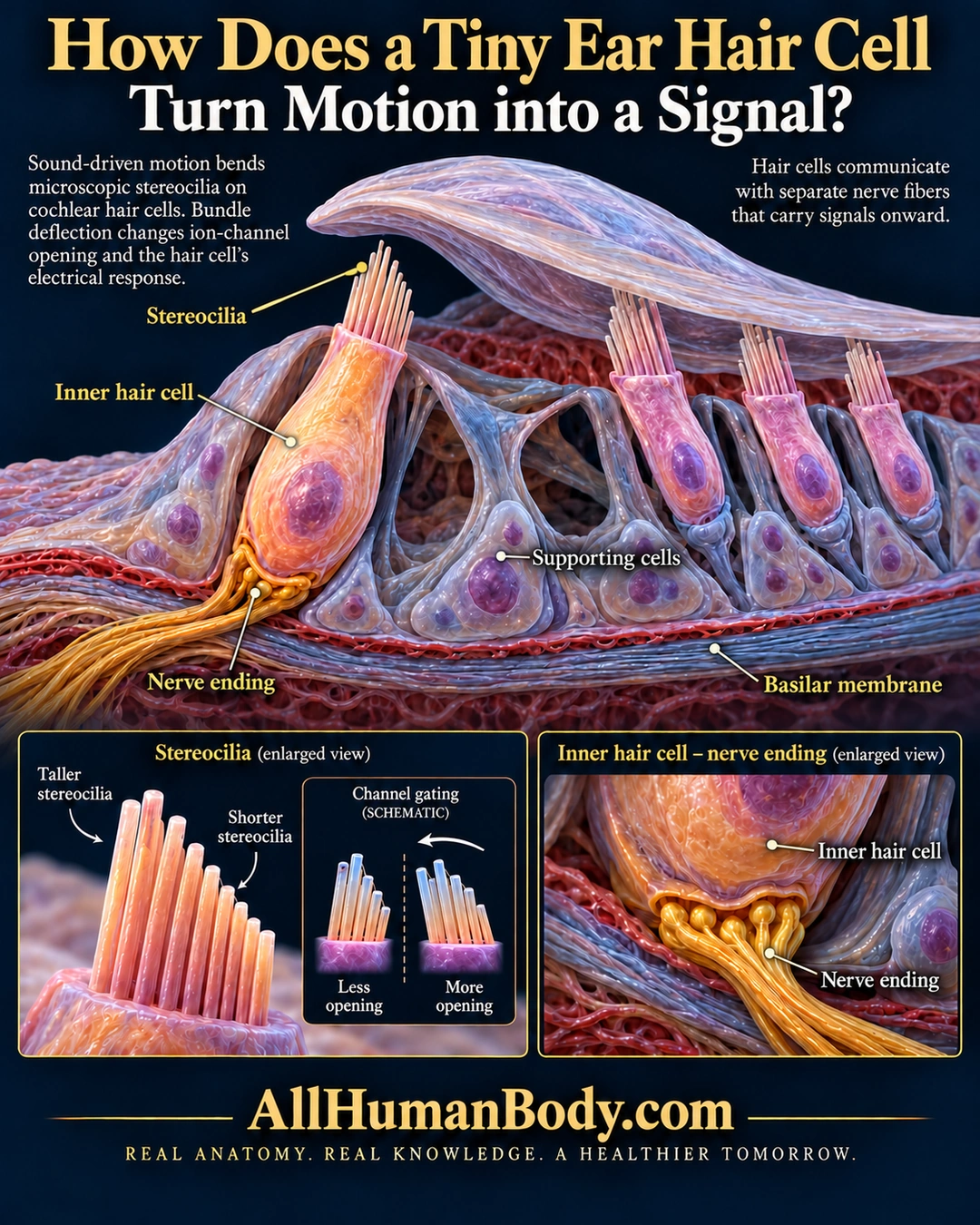
Sound-driven bundle motion changes mechanically gated channels and the hair cell’s electrical response. The receptor cell communicates with separate nerve fibers, rather than sending an action potential down an axon of its own.
READ THE IMAGE
What the illustration shows
Navy and gold poster titled “How Does a Tiny Ear Hair Cell Turn Motion into a Signal?” A dimensional cochlear tissue model emphasizes an orange inner hair cell with stereocilia at its top and separate yellow nerve endings at its base. Its bundle sits below a visible gap beneath an overhanging membrane; three pink outer hair cells sit farther right among supporting cells above the basilar membrane. Enlarged panels compare taller and shorter stereocilia, schematic less versus more channel opening, and a hair-cell-to-nerve contact. Text explains conversion from bundle motion to electrical response and communication with separate nerve fibers. Gold AllHumanBody.com branding and the exact project slogan appear below.
How to interpret this poster
- Constructed tissue model, not microscopy or exact cell dimensions and counts.
- Inner bundle is not embedded in the overlying membrane; illustrative gap is not proof contact is impossible in every movement.
- No resolved channel proteins, complete afferent/efferent identification, pitch map or hearing treatment.
- AI-assisted educational illustration; not physician certification, microscopy, a diagnosis or individualized medical advice.
- Fine annotations need enlargement; the full description provides an accessible text alternative.
- Display the full uncropped illustration; do not trim titles, legends or boundary annotations.
AI-assisted educational illustration, adapted into web-sized images without changing its composition. This is general education, not an individual diagnosis or treatment recommendation.
EVIDENCE / CONTEXT
Sources and what they support
- How Do We Hear? ↗
Sound-driven bundle bending, channel response and onward auditory-nerve signaling.
- Anatomy and Physiology 2e: 14.1 Sensory Perception ↗
Directional gating and separate afferent fibers, preserved lines 116–119; generalized membrane-contact wording excluded.