Musculoskeletal / VISUAL EXPLAINER
How Can Your Thumb Face Your Fingertips?
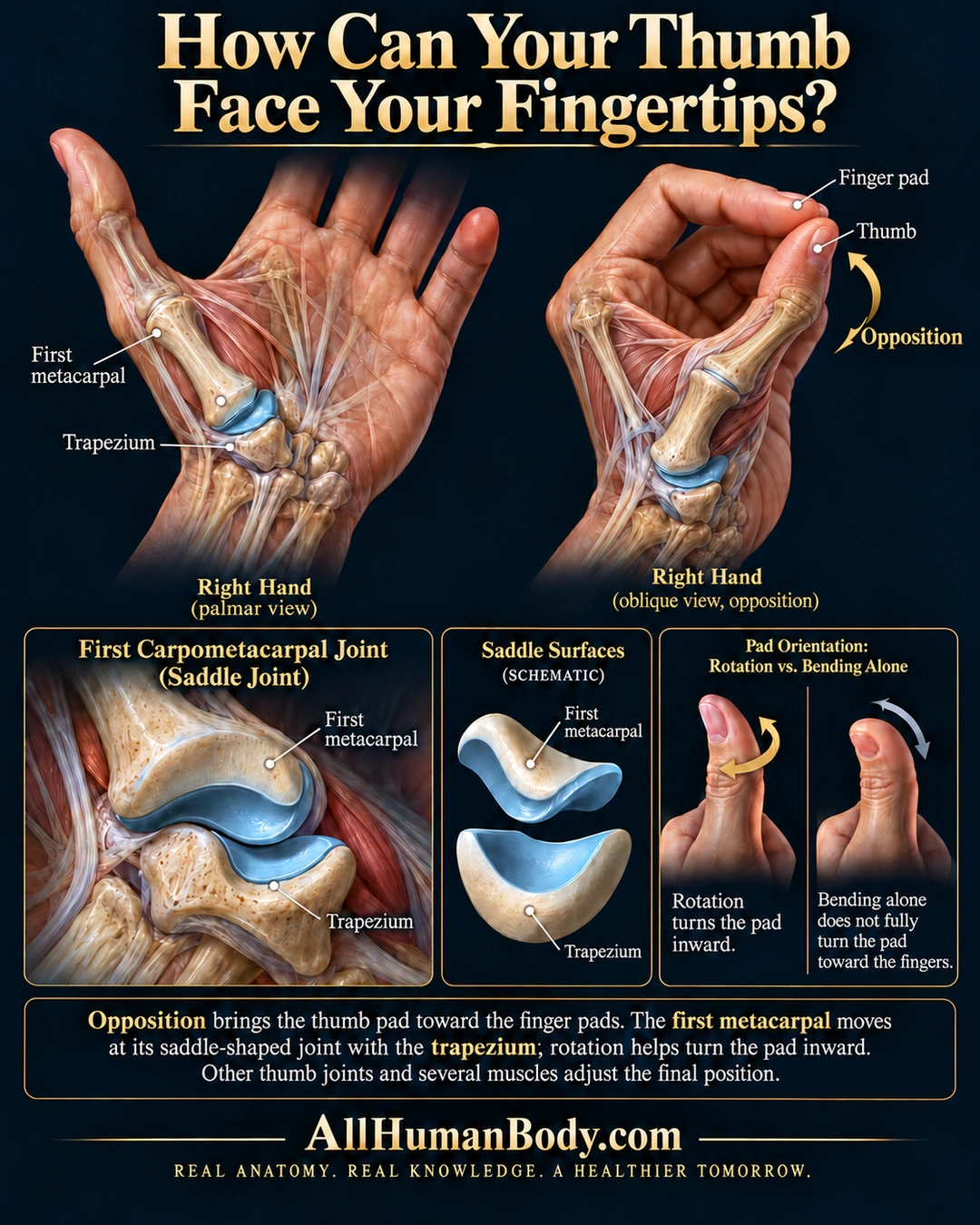
Thumb opposition combines movement and rotation to bring the thumb toward the fingers. Motion at the first metacarpal–trapezium saddle joint works with other thumb joints and muscles; bending alone does not describe the whole action.
READ THE IMAGE
What the illustration shows
Anatomical poster titled “How Can Your Thumb Face Your Fingertips?” An open right hand and an oblique opposed-thumb view reveal the thumb’s first metacarpal and its joint with the trapezium. A curved arrow indicates opposition toward the index finger. The label “Thumb” identifies the digit rather than its visible nail as a pad. Lower panels enlarge the first carpometacarpal joint, separate its saddle-shaped surfaces schematically, and contrast rotation with bending alone. Text explains that several joints and muscles position the thumb. Gold AllHumanBody.com branding appears below.
How to interpret this poster
- The oblique pose does not establish exact full-pad contact; the visible thumbnail is not labeled a pad.
- Views are not measured matched frames, and saddle surfaces and movement arrows are schematic.
- No fixed angles, single-muscle explanation, human-only claim or exercise instruction.
- AI-assisted educational illustration; not physician certification, microscopy, a diagnosis or individualized medical advice.
- Fine annotations need enlargement; the full description provides an accessible text alternative.
- Display the full uncropped illustration; do not trim titles, legends or boundary annotations.
AI-assisted educational illustration, adapted into web-sized images without changing its composition. This is general education, not an individual diagnosis or treatment recommendation.
EVIDENCE / CONTEXT
Sources and what they support
- Anatomy and Physiology 2e: 9.5 Types of Body Movements ↗
Definition of opposition as thumb movement toward the fingers.
- Anatomy and Physiology 2e: 9.4 Synovial Joints ↗
First metacarpal–trapezium saddle-shaped articulation.
- Coordination of thumb joints during opposition ↗
Human motion study supports composite opposition and coupling of CMC flexion and pronation.
Evidence correspondence is limited to the abstract.